Zoho One: fifty-plus applications under one roof, and how you build something with them

Zoho has been marketing its platform for years as "the operating system for business". That sounds like marketing speak, but it is an accurate description of the ambition.

Team overlegt samen bij laptops in een modern kantoor
Twee collega's bekijken samen een klantenportal op een laptop

The idea behind Zoho One

One subscription that covers all the software an organisation needs, from CRM and customer service to accounting, HR, projects, email, chat and AI.

Zoho One now includes more than fifty applications, all built by Zoho on the same codebase, with one central admin console, one user management, one SSO login and one invoice. That is the structural advantage over a pile of separate tools from different vendors: the applications know about each other. A ticket in Zoho Desk is linked to the account in Zoho CRM. A deal in CRM triggers a project in Zoho Projects. An employee HR hires in Zoho Recruit automatically becomes available as a user in the rest of the suite.

Those connections are there as standard, not as an integration project.

Two pricing models, one common mistake

This is where organisations most often go wrong when buying Zoho One, and it is the first conversation we have.

The mistake: organisations pick the model that looks cheapest on paper, without working it through with their own headcount and their expected usage over two years. We work that out together before anything is bought.

A second common mistake: buying Zoho One and expecting it to be up and running after a day. The platform offers more than fifty applications, but that does not mean you need them all at once or that they set themselves up. The value of Zoho One is not in the breadth of what is on offer but in how the applications you use work together. And that working together takes configuration.


All Employee Pricing

You license everyone on the payroll, including the production worker who never opens a laptop. The price per person is low (as a guide, around €37 per employee per month with annual billing), and this is the model that works out cheaper once a large share of your staff actually use the software.

Flexible User Pricing

You license only the active users, but at a considerably higher rate per head (as a guide, around €90 per user per month, billed annually). That works out cheaper when a small share of your staff use the software intensively and the rest of the organisation never opens a screen.

The applications, by category

Below is an overview of the applications included in Zoho One, with links for the most widely used ones and a short explanation of the lesser-known ones.

Sales and customer management

App What it does
Zoho CRM The centre of the suite. Leads, accounts, contacts, deals, quotes, orders, invoices and pipeline management. Blueprint to enforce processes, CommandCenter to orchestrate the customer journey, Canvas for role-based screens.
Zoho Desk Ticketing, SLA monitoring, knowledge base, omnichannel support and Zia AI agents for service automation.
Zoho SalesIQ Live chat and visitor recognition on your website, with behaviour tracking and proactive triggers.
Zoho Bigin A lighter version of CRM made specifically for small teams and simple sales pipelines. Looked at less often, but valuable as a starting point.
Zoho CRM Plus The bundle that combines CRM, Desk, SalesIQ, Campaigns, Social, Survey and Analytics into one customer experience platform, also available as a separate option alongside Zoho One.

Marketing

App What it does
Zoho Campaigns Email marketing, newsletters, A/B tests and basic automation.
Zoho Marketing Automation Visual customer journeys, lead scoring, website behaviour tracking and multichannel campaigns.
Zoho Social Social media management, scheduling, monitoring and reporting across several channels.
Zoho Survey Surveys for customer feedback, NPS and internal research.
Zoho Backstage Event management and registration, less well known but valuable for organisations that run their own events to generate leads.
Zoho PageSense A/B testing, heatmaps and conversion optimisation for your website.
Zoho LandingPage Drag-and-drop landing pages that feed straight into the marketing funnel.

Projects and collaboration

App What it does
Zoho Projects Project management with Gantt planning, milestones, time tracking, budget monitoring and a customer portal.
Zoho Sprints Agile product development with a backlog, sprints, scrum boards and release tracking.
Zoho Cliq Internal messaging platform as an alternative to Slack or Teams, with channels, video calls and integration with the rest of the suite.
Zoho Meeting Video meetings and webinars, including recording and attendee management.
Zoho Workdrive Team storage for files and documents, with shared workspaces and version history.
Zoho BugTracker Defect logging and follow-up for software development teams.

Finance

App What it does
Zoho Books Online accounting with invoicing, VAT returns, bank reconciliation and financial reporting.
Zoho Invoice Invoicing for freelancers and smaller teams.
Zoho Expense Expense claims for employees, with receipt scanning, approval flows and reporting.
Zoho Inventory Stock management, order picking and warehouse management, including integrations with online shops.
Zoho Subscriptions Subscription billing and recurring revenue management, less well known but essential for SaaS companies and service providers with retainers.
Zoho Checkout Payment pages and payment links without setting up a full online shop.

HR and recruitment

App What it does
Zoho People HR platform with personnel files, leave, absence, time tracking, onboarding and appraisal cycles.
Zoho Recruit Recruitment platform with vacancy management, a candidate pipeline, interview scheduling and a seamless handover to Zoho People.
Zoho Payroll Payroll processing. Note: not available in the Netherlands. Dutch organisations keep their payroll in a Dutch package such as Loket.nl or Nmbrs.
Zoho Learn Knowledge base and learning platform for onboarding, internal training and certification.
Zoho Shifts Rostering software for teams with shift work or variable working hours. Little known outside hospitality and healthcare, but valuable for any organisation with variable staffing.

Communication

App What it does
Zoho Voice Cloud telephony with CRM integration, click-to-call, call logging and AI support.
Zoho Mail Ad-free business email, with your own domain and integration with the rest of the suite.
Zoho TeamInbox Shared inbox for teams that handle customer email together, with assignment and status management.

Analytics and reporting

App What it does
Zoho Analytics Business intelligence and dashboards that pull data from all Zoho apps and from external sources. The layer that makes the whole platform transparent for management.

Build and automate

App What it does
Zoho Creator Low-code platform for your own applications, on the same data foundation as the rest of the suite.
Zoho Flow Integration platform for connecting external systems, comparable to Zapier but built into Zoho.
Zoho RPA Software robots for process automation at screen level, for systems without a usable API.
Zoho Catalyst Pro-code development platform for custom applications and integrations, within the Zoho ecosystem.
Zia Agents AI agents that carry out tasks independently in the apps of your choice, with Agent Studio for building your own agents.
Zoho MCP Model Context Protocol implementation that lets external AI clients such as Claude and ChatGPT work directly with your Zoho data.
Zoho IoT Low-code IoT platform for connecting physical devices to your business software.

Signing and forms

App What it does
Zoho Sign Digital signatures for contracts, applications and agreements.
Zoho Forms Online forms that land straight in CRM, Desk or other Zoho apps.
Zoho Notebook Note-taking app for personal use, less business-oriented but included.
Telefoon met agenda-app op het scherm

Try Zoho One for free

Start with the apps that solve the biggest pain point and expand from there. Set up a trial environment and see for yourself how the apps work together. We are happy to help you get started.

How the apps work together

The real value of Zoho One is not in individual apps but in how they connect. A few examples of what that looks like in practice.

  • From lead to project

    A prospect fills in a form in Zoho Forms. The lead lands in Zoho CRM. After the sales process the deal is won and triggers a project in Zoho Projects, with the scope and customer details carried over. The customer gets access to a customer portal in Zoho Projects. The project invoice goes out through Zoho Books.

  • From ticket to backlog

    A customer reports a bug through Zoho Desk. Support links the ticket to a work item in Zoho Sprints. Development fixes it in a sprint. On release, every customer involved is informed automatically through Desk.

  • From campaign to deal

    Zoho Marketing Automation nurtures a lead through a nurturing journey. Once the lead reaches a score threshold, it is handed over to Zoho CRM with its full behaviour history. In their CRM screen the account manager sees which emails were opened, which pages were visited and which content was downloaded.

  • From recruitment to onboarding

    Zoho Recruit manages the application. When someone is hired, the candidate is converted into an employee in Zoho People, including all the details collected earlier. The onboarding workflow starts automatically: IT requests, document signing through Zoho Sign, introductory courses in Zoho Learn.

  • Analytics across everything

    Zoho Analytics combines data from all the apps in one dashboard. Revenue per customer next to open tickets. Campaign results next to deal value. HR staffing next to project capacity. That is management information you only get when all the data sits in the same ecosystem.

We worked with a handful of separate tools that did not talk to each other. With Zoho One we have one environment, one licence and far less hassle.

Sample quote Real customer quote to follow
Medewerkster werkt geconcentreerd achter een laptop op kantoor

When Zoho One is the right choice, and when it is not

Being honest here makes the rest more credible.

Zoho One is a good fit when you want to digitise several areas at once, when you currently use several separate tools that have Zoho equivalents, when you want your apps to know about each other, and when the total cost of your current tool landscape comes to more than Zoho One costs.

Zoho One is less of a fit when you need one specific function and nothing else changes, when you already have a well set-up system for part of your organisation and do not want to replace it, or when the functionality of a particular Zoho app falls short of your specific requirements.

A fair assessment calls for a comparison of your current tools, your current costs and your ambitions over three years, including the cost of implementation and migration. We make that comparison.

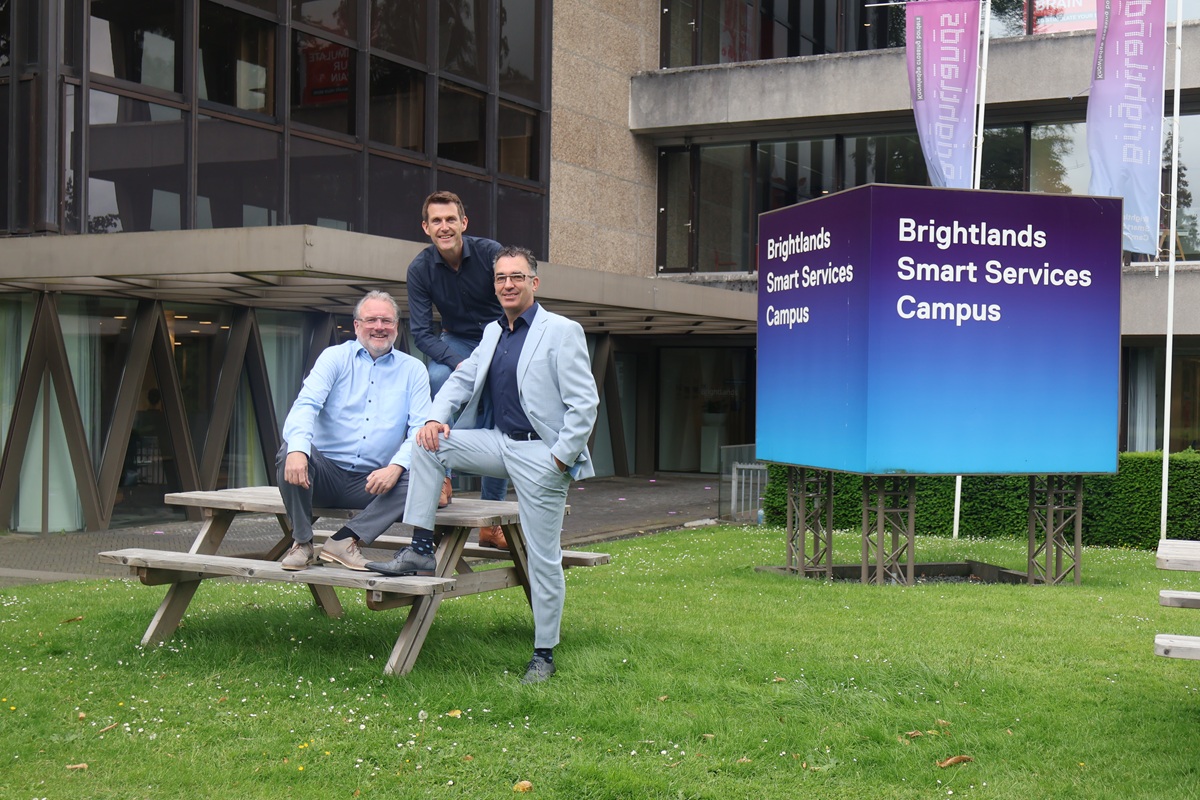
Mobile XL en Collabotics op de Brightlands Smart Services Campus

What you come to Mobile XL for

We are a certified Zoho partner, work with the full Zoho platform every day and were one of the first partners in the Netherlands to achieve the official Zoho AI certification.

Our role in Zoho One projects is twofold. We advise on the choice: which licence model, which apps, in what order, and where Zoho One has limits that call for custom work or an additional platform. And we implement: we set things up, migrate data, build integrations with your existing systems and train your team.

We have our own development team for the parts that fall outside the Zoho standard: custom integrations, portals, Catalyst applications. So for a complex question you do not need to bring in a second party.

Why larger organisations need a different approach

  • Architecture first

    Picking fifty apps from a catalogue is easy. Deciding which apps you actually use, in what order, with which integrations and which data model underneath: that takes a design.

  • Role-based access at scale

    Which employee sees which apps, which modules within an app are available to each role, and how that is managed when people change jobs or leave the organisation.

  • Single sign-on and provisioning

    In larger organisations, managing users by hand is not an option. Users are added and removed automatically through your identity management system.

  • Data migration at volume

    Migrating, deduplicating and field-mapping hundreds of thousands of records: right first time.

  • Governance over changes

    Who changes the configuration, who tests, who puts it live? With dozens of users running customer-facing processes, an unexpected change can have an immediate impact.

  • Reporting for several stakeholders

    Zoho Analytics as the central reporting layer, with dashboards per department and consolidated reporting for the board.

Why international operations need their own approach

  • One environment or several?

    All entities in one Zoho organisation, or separate environments per country? That choice determines your management model for years.

  • Data centre region

    You choose your data centre region when you create your account. For Dutch organisations the EU region is almost always the right choice because of the GDPR. Switching afterwards is a migration project.

  • Multilingual setup

    Interface, communication templates, reports and knowledge base articles in the language of the entity.

  • Local app availability

    Some Zoho Books and Zoho Payroll functions are country-specific. Zoho Payroll does not work in the Netherlands; that is not a shortcoming but a design choice you take into account in your architecture.

  • Rollout order

    By country or by department, with local key users and support in the right language. We work in Dutch and English.

Ondernemer werkt aan een laptop in een kantoor met bakstenen muur

Frequently asked questions about Zoho One

  • Zoho One contains more than fifty business applications, organised around sales, marketing, customer service, projects, finance, HR, communication, analytics, automation and development. They run on one platform with one user management, one admin console and one invoice. Not every app is relevant to every organisation: the strength lies in the apps you actually use and in how they are connected.

  • With All Employee Pricing you license everyone on the payroll, including people who never open the software, at a low rate per person. With Flexible User Pricing you license only the active users, at a considerably higher rate per user. Which model works out cheaper depends entirely on how many of your staff actually use the software. Work it out with your own numbers before you sign.

  • Once you seriously use three or more Zoho applications, Zoho One almost always works out cheaper than buying those apps separately. With one or two apps, a separate licence can be cheaper. The deciding question is not just the licence price but the total cost including implementation, integrations and management, and whether the apps you now buy separately are included in Zoho One.

  • That depends on the number of apps, users and integrations and the size of the data migration. A clearly scoped implementation of CRM and Desk for a medium-sized team takes a few weeks; a company-wide rollout with several departments, integrations with ERP and telephony and an international rollout runs to months. We work in phases so you have something working early on.

  • Yes, and that is also what we advise. Start with the apps that solve the biggest pain point, get those working well, and then expand. The Zoho One licence gives you access to all the apps, but that does not mean you have to switch them all on at once. Expanding is easy; implementing everything at once is the most common cause of failed projects.

  • Yes, with a few specific considerations. The choice between one environment or separate environments per entity determines your management model. Multilingual configuration, local numbers for telephony, the data centre region and the availability of local functions such as Zoho Books per country are all questions you answer up front. We guide international rollouts in Dutch and English.

  • For many tools there is a Zoho equivalent in the suite: email marketing, project management, HR, customer communication, internal chat, files, accounting. Not every Zoho equivalent is equally strong. For some functions (complex financial reporting, in-depth payroll processing in the Netherlands, specific industry software) a specialised system remains the better option. We make that comparison concrete, including the downsides.

  • Yes. Zia is the AI layer that runs through the suite: suggestions in CRM, anomaly detection in Analytics, sentiment analysis in Desk. Zia Agents goes further: autonomous AI agents that carry out tasks independently in the apps of your choice, built with Agent Studio using your own knowledge sources, tools and guardrails. And Zoho MCP lets external AI clients such as Claude and ChatGPT work with your Zoho data. Mobile XL was one of the first Zoho partners in the Netherlands to be certified on the platform's AI layer.

Want to know which Zoho One approach suits your organisation?

Including the licence model and the rollout order. Mobile XL is a certified Zoho partner with offices in Geleen and Utrecht.