

Zoho Projects: where the promise in your quote meets reality
Zoho Projects is the layer that closes the gap between selling and delivering. Not because it is a nicer task list, but because planning, hours, budget and scope sit in one system, and because that system is connected to the place where the agreement was made.


The gap between selling and delivering
There is a moment in almost every organisation when something valuable disappears. The quote has been signed, the salesperson is happy, and then the file goes to delivery. What the person doing the work usually gets is the signed document and a ten-minute conversation. What they do not get are the assumptions: how many rounds of revisions were agreed, what was deliberately left out of scope, what the estimate of hours was based on.
Three months later the budget is gone, nobody can point to where that happened, and the conversation about additional work becomes one you lose.
Zoho Projects is the layer that closes that gap.
What is in Zoho Projects

Hours and budget: this is where the real value lies
For most organisations, this is where the real value lies. Employees log hours against tasks, distinguishing between billable and non-billable, using a timer or manually. Planned versus actual shows per person and per task how the estimated hours compare with the real ones.
You also manage a project budget based on amount, hours or planning, with real-time insight into how much has been used and a budget forecast. The signal you want is not that the budget has run out, but that it is at seventy per cent while half the work still has to be done. That one moment decides whether you have a conversation about additional work that you win, or send an invoice you cannot back up.
The chain: from deal to project to invoice
A project tool that is disconnected from your sales and your invoicing only solves a third of the problem.
-
Zoho CRM: a handover that adds up
With the integration with Zoho CRM, a won deal becomes a project, including the customer details, the agreed scope and the assumptions from the quote. Your delivery team does not start from scratch, and your salesperson can see from CRM how delivery is going for their accounts: handy ahead of a renewal or a follow-up assignment.
It works the other way too: signals from a project, such as a client who consistently asks for more than was agreed, are commercial information.
-
Zoho Desk: when a question becomes an assignment
Zoho Desk captures questions, reports and complaints. Some of them are not support questions but work: a change, an extension, a task within an ongoing project. With the integration you log an issue or task in Projects from a ticket, with the context attached, and you see the progress back in the ticket so support can update the customer without having to ask anyone.
That prevents the classic pattern in which a "quick question" quietly grows into twenty unbilled hours.
-
Zoho Sprints: hybrid working without two versions of the truth
Many organisations run two kinds of work at the same time: client projects with a scope and a budget, and agile product development with a backlog and sprints. Zoho Sprints is made for the second, and the integration with Projects exists precisely for organisations that do both.
You sync projects and tasks between the two environments, log hours, and view sprint boards and sprint reports within Zoho Projects. That gives your project manager an overview of delivery while your development team works at its own pace. Neither has to adapt to the other's way of working, and there is still one set of figures.
-
Invoicing: hours that turn into an invoice by themselves
The two-way integration with Zoho Books or Zoho Invoice turns approved hours and recorded expenses into invoice lines. That sounds minor, but for most service providers it removes a monthly puzzle of half a day to a full day, plus the hours that always slip through that puzzle because nobody can trace them any more.
AI within your projects
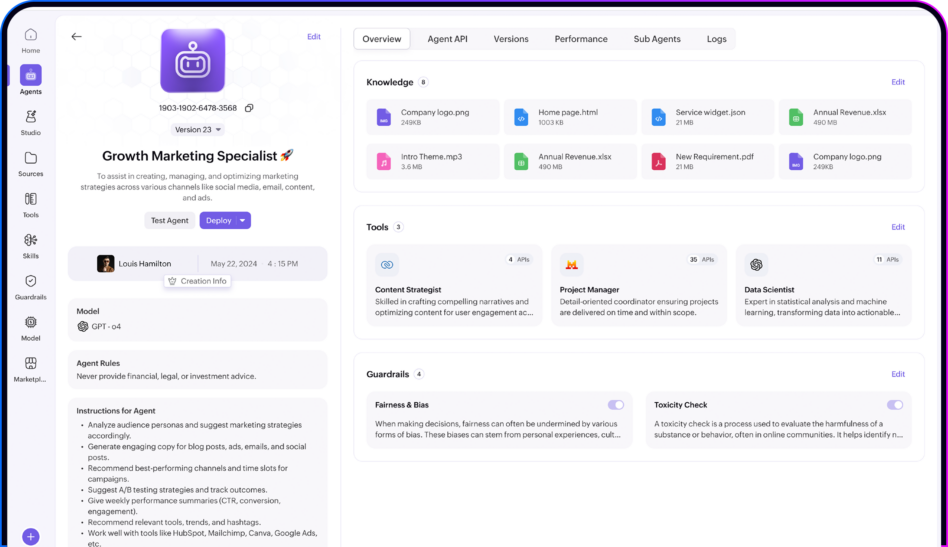
Zoho Projects lets you connect AI models of your choice, so agents can read project data, carry out instructions and flag anomalies. Combined with Zia Agents, that means in concrete terms: preparing progress summaries, flagging that a project is drifting from its baseline, and following up open actions with the right person.
Hours and projects are now together, so monthly invoicing takes us a fraction of the time. We also see sooner when a project is going off track.
Zoho Projects or Zoho Sprints?
This question comes up in every project, and the answer is "both" more often than people expect.
| Zoho Projects | Zoho Sprints | |
|---|---|---|
| Made for | Work with a client, scope and budget | Agile product development |
| Planning | Gantt, milestones, dependencies, critical path | Backlog, sprints, scrum boards |
| Approach to time | Fixed end date | Fixed rhythm, moving scope |
| Time tracking | Extensive, billable and non-billable | More limited |
| Budget control | Yes, including forecast | No |
| Client access | Client users with their own licence | Not common |
| Typical for | Agencies, implementation partners, construction, engineering | Software product teams |
Rule of thumb: if the work has a client who receives an invoice, it belongs in Projects. If a team works iteratively on something that is never finished, it belongs in Sprints. If you do both, connect them instead of forcing one of the two.
Where implementations run aground
How to set it up sensibly
For an organisation with a manageable project type this is a project of a few weeks; with several project types, integrations and a migration from an existing system, it takes longer.
-
Start with one project type
Choose a type you do more often, and turn it into a template.
-
Fix time tracking at task level
Do that before you start on reporting. Without reliable hours, every dashboard is fiction.
-
Set up the CRM integration
So a won deal becomes a project, with its scope and assumptions.
-
Set up budget and alerts
At the start, not after the first project has overrun.
-
Connect your invoicing
This is where the time saving becomes visible fastest.
-
Open client access
For projects where transparency adds value.
-
Only then add Sprints or your development environment
Once the project side is in place.

A project is only finished when the invoice is right
Most project tools measure whether work is finished. That is the wrong question for an organisation that sells projects. The question is whether the work was finished within the hours you budgeted, whether everything you did actually ended up on an invoice, and whether you can make the next quote sharper than the last one.
Zoho Projects answers those questions because planning, hours and budget sit in the same system, and because it is connected to Zoho CRM where the agreement was made, to Zoho Desk where the questions come in, to Zoho Sprints where development work happens, and to your invoicing, which is what it ultimately comes down to.

Frequently asked questions about Zoho Projects
-
Zoho Projects is made for work with a client, a scope, a schedule and a budget: Gantt planning, milestones, dependencies, extensive time tracking and budget control. Zoho Sprints is agile product development with a backlog, user stories, sprints and scrum boards. Many organisations use both side by side and connect them, so sprint boards and logged hours are visible within Zoho Projects.
-
Yes. Employees log hours against tasks, distinguishing between billable and non-billable, using a timer or manually, with an approval step. Through the two-way integration with Zoho Books or Zoho Invoice, approved hours and expenses are turned into invoice lines. For most service providers that saves a monthly manual round and prevents hours from slipping through.
-
Yes, through client users: a separate and cheaper type of licence that lets clients see the progress, milestones and documents you release, without access to your internal communication. You can put the portal on your own domain. In practice, that transparency (especially about hours spent) prevents a lot of discussion afterwards.
-
A won deal becomes a project, including the customer details and the assumptions from the quote, so the delivery team knows what was agreed. The other way round, your salesperson can see from CRM how delivery is going for their accounts. That is especially valuable around follow-up assignments and renewals, where the two sides would otherwise talk past each other.
-
No. Basic functionality such as tasks, milestones and timesheets is widely available, but advanced planning features such as critical path and baselines, and integrations such as the one with Zoho Desk, are in the higher editions. Which feature sits in which edition changes from time to time: check this against the current edition comparison before you choose, because the difference often determines which plan you need.
-
Yes, you can import schedules from MS Project. More important than the import is the question of which history you really need: migrating completed projects from an old system takes a lot of time and rarely pays off. Bring ongoing projects across and keep the old system for a while as a reference.
-
By making the assumptions and exclusions from the quote visible with the project, so your delivery team sees on the same screen what was agreed and how much budget is left. You record requests outside the scope as additional work that is approved first, and you set budget alerts at, for example, seventy per cent. The software does not prevent scope creep, but it makes it visible at the moment you can still do something about it.
-
For one project type with a template, time tracking and an invoicing integration, a few weeks is realistic. Add several project types, a CRM integration, client portals, issue management and an integration with your development environment, and it takes longer. The technology is rarely the bottleneck; capturing your delivery and approval process and getting your team to adopt time tracking are.
Want to know where hours are leaking away in your projects?
Mobile XL sets up Zoho Projects starting from your quoting and delivery process, including the integrations with CRM, service and invoicing.