

Zoho AI agents: how to let Zia Agents do the work in your Zoho environment
Zoho AI agents turn the apps you use every day into a team of digital colleagues. Until now, Zoho CRM, Zoho Desk and the other apps mainly did what you clicked on. Now agents take over tasks independently. They qualify leads, answer tickets and prepare quotes, all within your own Zoho environment.
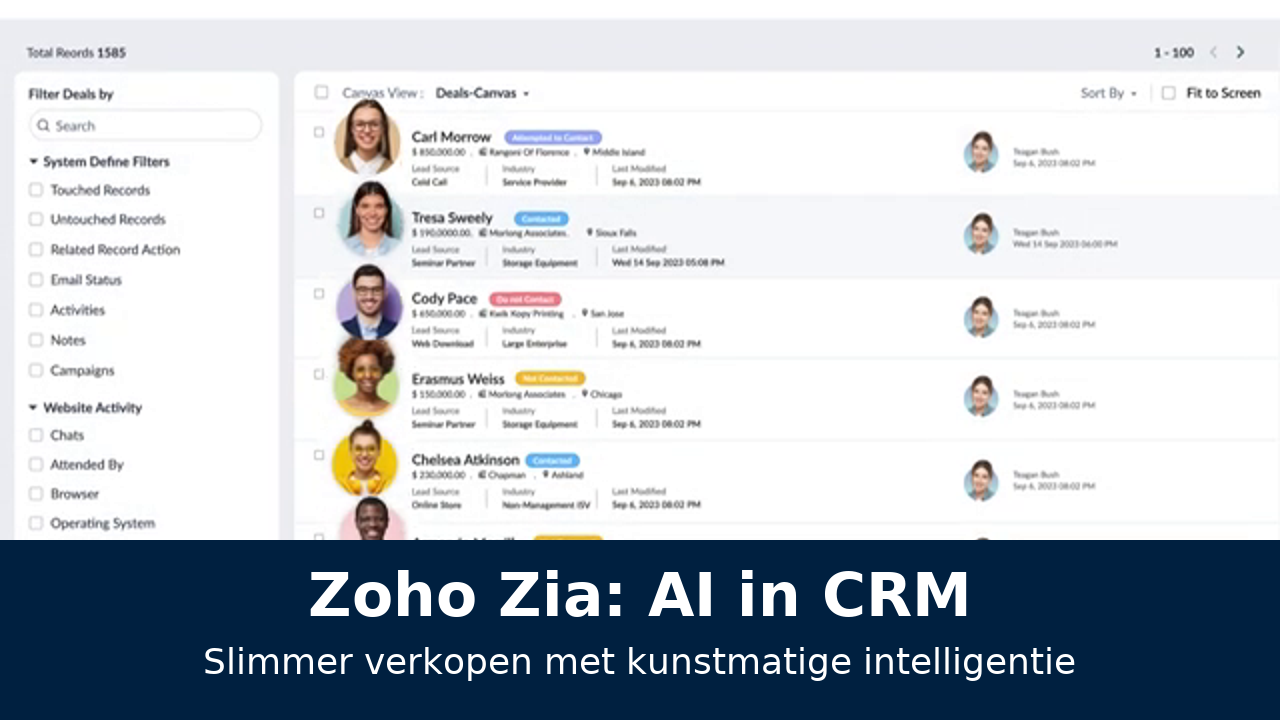
Zoho offers these agents under the name Zia Agents
You choose from ready-made agents or build one yourself in Zia Agent Studio, without programming. Because everything runs within the Zoho platform, the agents work directly with your customer data and your data stays in Zoho's own data centres.

What are Zoho AI agents?
Zoho AI agents are digital assistants that carry out tasks independently in Zoho's apps. They are given a goal, decide for themselves which steps are needed and carry them out using the data and features of your Zoho environment. Zoho announced the agents in early 2025 and has expanded the range considerably since then.
If you are not yet sure what sets an agent apart from a chatbot or a workflow, first read our guide to AI agents and the comparison AI agent vs. chatbot vs. RPA.
Ready-made Zia Agents: get started straight away
The quickest way to start with Zia Agents is an agent that Zoho has already built for you. Zoho offers a growing catalogue of agents for common tasks. When the marketplace launched in 2025, it held more than 25 agents, and that number is still growing.
Zoho has announced and released agents for roles including the following. Which agents are available in your account depends on your apps, your subscription and your data centre. Zoho rolls out new agents in phases.
-
SDR agent
Qualifies new leads, enriches them with information and prepares a first follow-up.
-
Account Manager agent
Keeps an eye on existing customers and flags opportunities or risks.
-
Sales Coach agent
Analyses deals and gives salespeople tips to move them forward.
-
Customer Support agent
Answers first-line questions in Zoho Desk from your knowledge base.
-
HR agent
Helps with questions from employees and supports onboarding.
-
IT Help Desk agent
Handles internal IT questions and passes on complex requests.
The Agent Marketplace
You will find the agents in the Agent Marketplace, part of the wider Zoho Marketplace. Besides agents from Zoho itself, partners and developers also publish their own agents there. That way you can install an agent made specifically for your industry or process, and then adapt it to your own requirements.
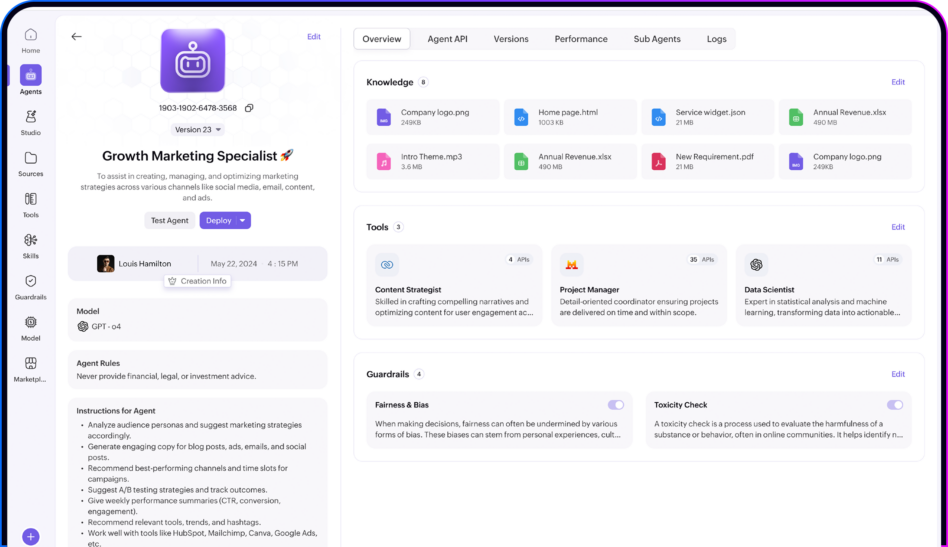
Zoho Agent Studio: building your own Zoho AI agent
If a standard agent doesn't quite fit your process, you build one yourself in Zia Agent Studio. That is Zoho's no-code environment where you put together an agent without programming. If you do have a technical background, you can add low-code logic.
How building a Zoho AI agent works
Building an agent starts with an assignment in plain language. You describe what the agent should do, for whom and within which limits. You then give it the resources to carry out that work:
-
Instructions
In your own words, you set out the goal, the tone the agent should strike and when it should bring in a person.
-
Actions
You choose from a library of hundreds of ready-made actions in Zoho apps, such as creating a lead, updating a deal or assigning a ticket.
-
Knowledge
You connect sources such as your knowledge base, product information or internal documents.
-
Model
You choose which language model the agent uses, for example Zia LLM or a model from another provider.
-
Deployment
You decide where the agent is active: in a specific app, via Ask Zia or in several places at once.

Combining agents
In Zoho Agent Studio you can also have agents work together. An agent that qualifies leads can, for example, hand over its work to an agent that prepares quotes. That way you automate, step by step, a complete process that runs across several departments.
If you know how Zoho Flow or Deluge works, a lot of this will look familiar. The difference is that you don't prescribe every step for the agent, but give it a goal that it works towards itself.
AI in Zoho CRM: what agents do for your sales
For most SMEs, Zoho CRM is the heart of their Zoho environment. That is also where AI in Zoho CRM delivers the quickest gains. Agents take over the preparation and follow-up work, so your salespeople have more time for conversations.
Want to read more about agents in your sales process? Take a look at AI agents in sales and CRM.
Zoho AI agents in customer service and other apps
Zoho has more than a hundred apps, and the agents are becoming available in more and more of them, step by step. Besides CRM, these are the places where you will come across them most often.
Working with software outside Zoho
Few companies work exclusively with Zoho. You may have your own ERP system, a webshop or a planning tool. Fortunately, Zia Agents don't have to stay within Zoho's walls.
Via APIs and Zoho Flow
The most common route is an integration via APIs, often set up with Zoho Flow or Deluge. With it, an agent can retrieve data from or write data to systems outside Zoho. Think of checking stock in your ERP before the agent gives a customer a delivery time.
Via the Model Context Protocol
Zoho has also released an MCP server. The Model Context Protocol is an open standard that gives AI agents secure access to actions and data in other systems. Through that server, agents from other platforms can also carry out actions in Zoho. Conversely, you can make Zoho work more smartly with the rest of your software landscape. We explain the difference between the two routes on our page about Zoho MCP.
Agents that talk to other agents
Zoho is also working on support for the agent-to-agent protocol. This will allow Zia Agents to work together with agents on other platforms. For most SMEs that is still some way off, but it shows that Zoho is betting on an open ecosystem rather than a closed environment.
How safe is your data with Zia Agents?
Privacy is one of Zoho's strongest points. The company has no advertising model and runs its own data centres, instead of relying on the big cloud providers. For European customers, the data is held in European data centres.
What do Zia Agents cost?
Zoho is known for competitive prices, and that applies to the agents too. The Zia Agents platform itself is free to use: the agent builder and the infrastructure for running agents cost nothing extra. The costs lie in the language model your agent uses.
| Option | How you pay | Where your data stays |
|---|---|---|
| Zia LLM and other Zoho-hosted models | Largely included or via AI credits | Within Zoho |
| External models via Zoho | Prepaid AI credits in your Zia Agents wallet | With the external provider |
| Your own API key (BYOK) | Directly to the provider, with no Zoho mark-up | With the external provider |
The exact terms differ per model, data centre and subscription, and may change. So always check the latest information on Zoho's official Zia Agents page.
On top of that, factor in the licences for the Zoho apps the agents work in, and the set-up. A simple standard agent can be switched on quickly, an agent with custom actions and integrations takes more time. How to weigh the investment against the return is explained in costs and ROI of AI agents.
How to take the first step in Zoho
It is tempting to switch on a handful of agents straight away. Yet a steady start works better. With this approach you get results quickly without risk.
You will find a detailed step-by-step plan with timeline and pitfalls in implementing an AI agent. Do you use Creatio as well as Zoho, or are you torn between the two? Then also read Creatio AI agents.
-
Get your Zoho data in order
An agent is only as good as the data it works with. Clean up duplicate records and make sure fields are filled in consistently.
-
Choose one process in one app
For example, start with lead qualification in Zoho CRM or first-line support in Zoho Desk.
-
Start with a standard agent
Check the Agent Marketplace for an agent that already fits your process. Adapt it instead of building from scratch.
-
Let the agent make suggestions first
In the first few weeks, only give it permission to prepare drafts. An employee approves and sends them.
-
Give it more independence once it works
If its suggestions are consistently good, let the agent carry out more actions itself.
-
Then build your own agents
With the experience from the first agent, you put together targeted agents in Zia Agent Studio for your specific processes.
We had been using Zoho for years. With Zia Agents our CRM now does some of the work itself, and we notice it every day.

Get more out of Zoho with AI agents
Zoho AI agents make your existing Zoho environment a lot more powerful, without you having to buy new software. The trick lies in choosing the right processes, a good configuration and clear boundaries.
Mobile XL helps SMEs in the Netherlands and Flanders deploy Zia Agents responsibly and in a GDPR-compliant way, from the first standard agent to custom work in Agent Studio. Read more about our services on the Zoho page.

Frequently asked questions about Zoho AI agents
-
Zia Agents are AI agents that carry out tasks independently in Zoho apps such as CRM, Desk and People. For example, they qualify leads, answer tickets or prepare quotes, based on your own Zoho data.
-
Zia Agent Studio is the no-code environment where you build AI agents yourself. You describe in plain language what the agent should do, choose actions from a large library and decide which language model it uses.
-
Zoho Zia is Zoho's overarching AI, which has been providing predictions and suggestions for years. Zia Agents are the latest generation within it: they don't just advise, they also carry out actions independently.
-
Agents are available in Zoho CRM, Zoho Desk, Zoho People and via Ask Zia in Zoho Analytics, among others. Zoho is adding new apps in phases, so availability in your account may differ.
-
No. Zia Agent Studio is designed as a no-code environment where you work with instructions in plain language. Low-code is possible for more complex logic or integrations, but it is not a requirement to get started.
-
The Zia Agents platform is free to use. You pay for the language model: via AI credits for models Zoho manages for you, or directly to the provider if you connect your own API key. You also need licences for the Zoho apps themselves.
-
Zoho runs its own data centres, including in Europe, and has no advertising model. If you use Zia LLM or another Zoho-hosted model, your data stays within Zoho. With external models, the external provider processes your data.
-
Yes. Through APIs, Zoho Flow and Zoho's MCP server, agents can exchange data with other systems, such as your ERP or webshop.
-
Zoho offers agents for lead qualification (SDR), account management, sales coaching, customer service, HR and IT support, among others. The Agent Marketplace adds agents from partners on top of that.
-
Start by cleaning up your CRM data and choose one process, such as lead follow-up. Install a suitable standard agent, let it make suggestions first and give it more independence once the results are good.
Curious which agent would deliver the most in your Zoho environment?
Book a no-obligation call and together we will look at your first application.